macOS image & video viewer with in-place AI

An image and video viewer for Mac.Built for the next step.

Open an image or video, inspect the details, and decide what to do next. Glance brings viewing, AI tools, and image comparison into one native Mac app.

No account or permissions to start 14-day full trial, no card Viewing, compare, capture and OCR free forever

Demo animation based on Glance's current interface design.

One loop

View → fix in place → compare

No more bouncing between web tools, your Downloads folder and a separate viewer. The whole job happens in one window.

01

View images and videos

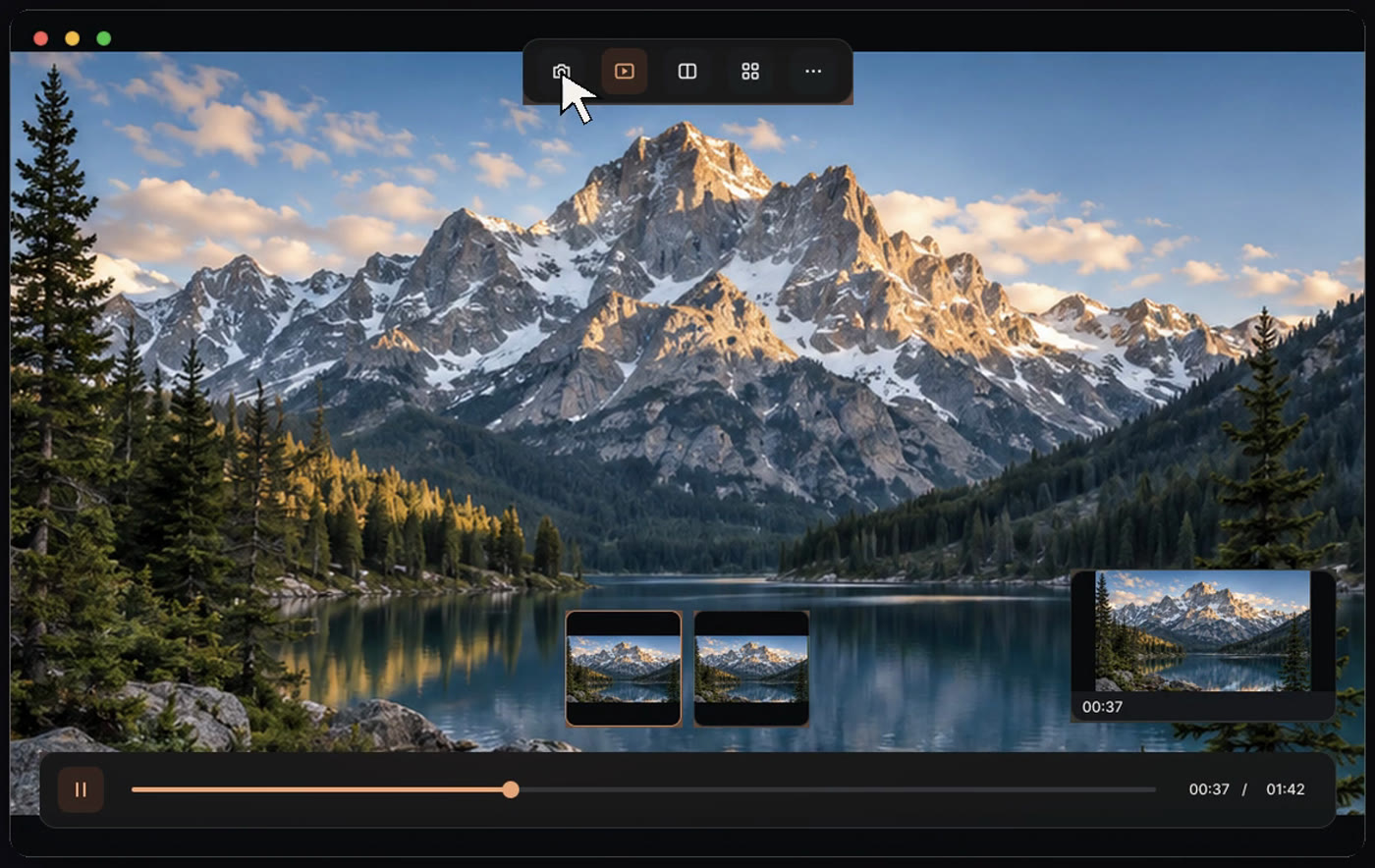
A native macOS viewer for images and video: zoom, pan, browse a folder, play video and grab frames. Make it your default viewer and open straight from Finder.

  • PNG, JPEG, HEIC, WebP, AVIF, GIF, SVG, TIFF and more
  • MP4, MOV, M4V, WebM, MKV and AVI video
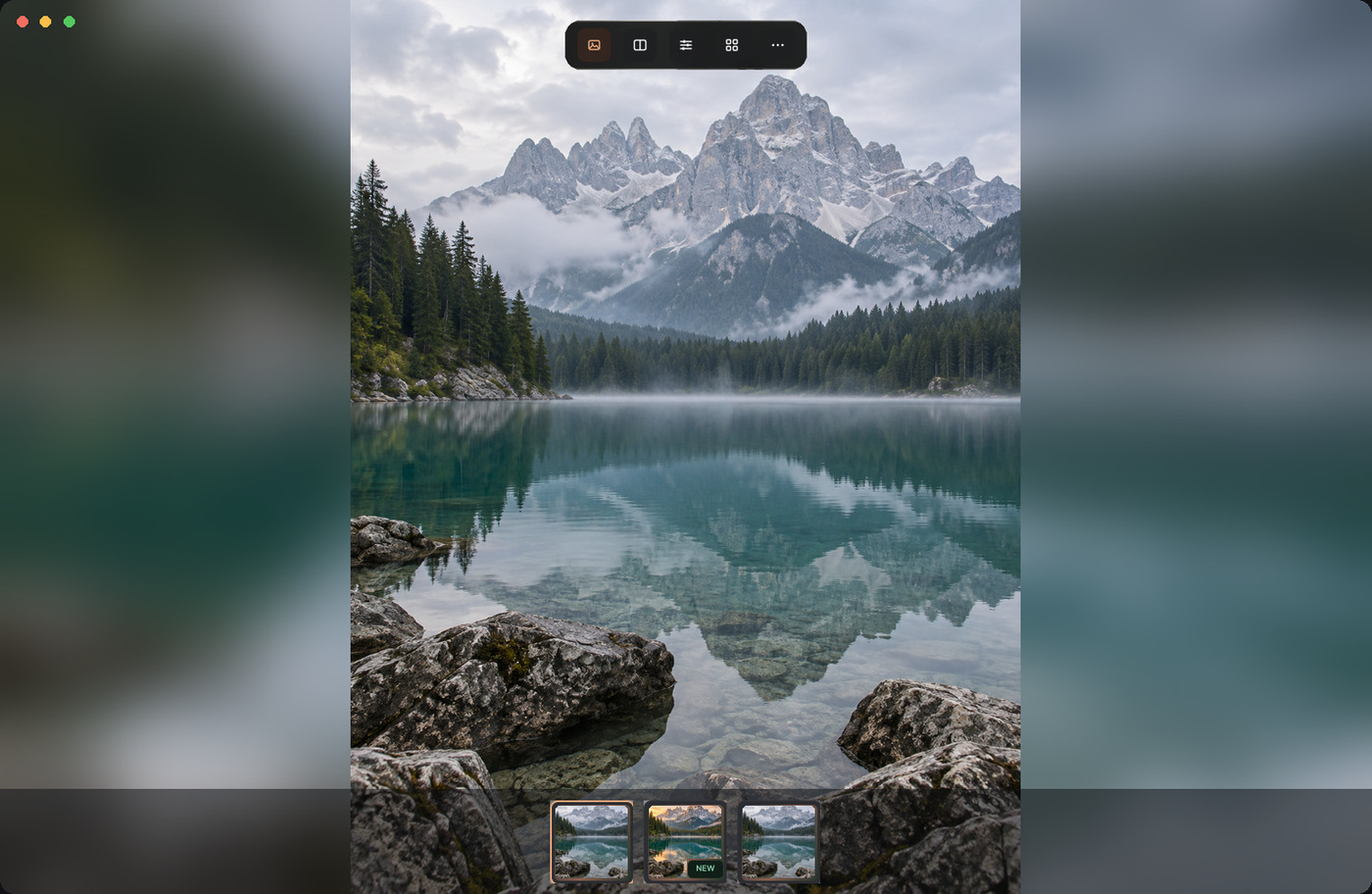
Glance image viewer
02

Fix it with AI, in place

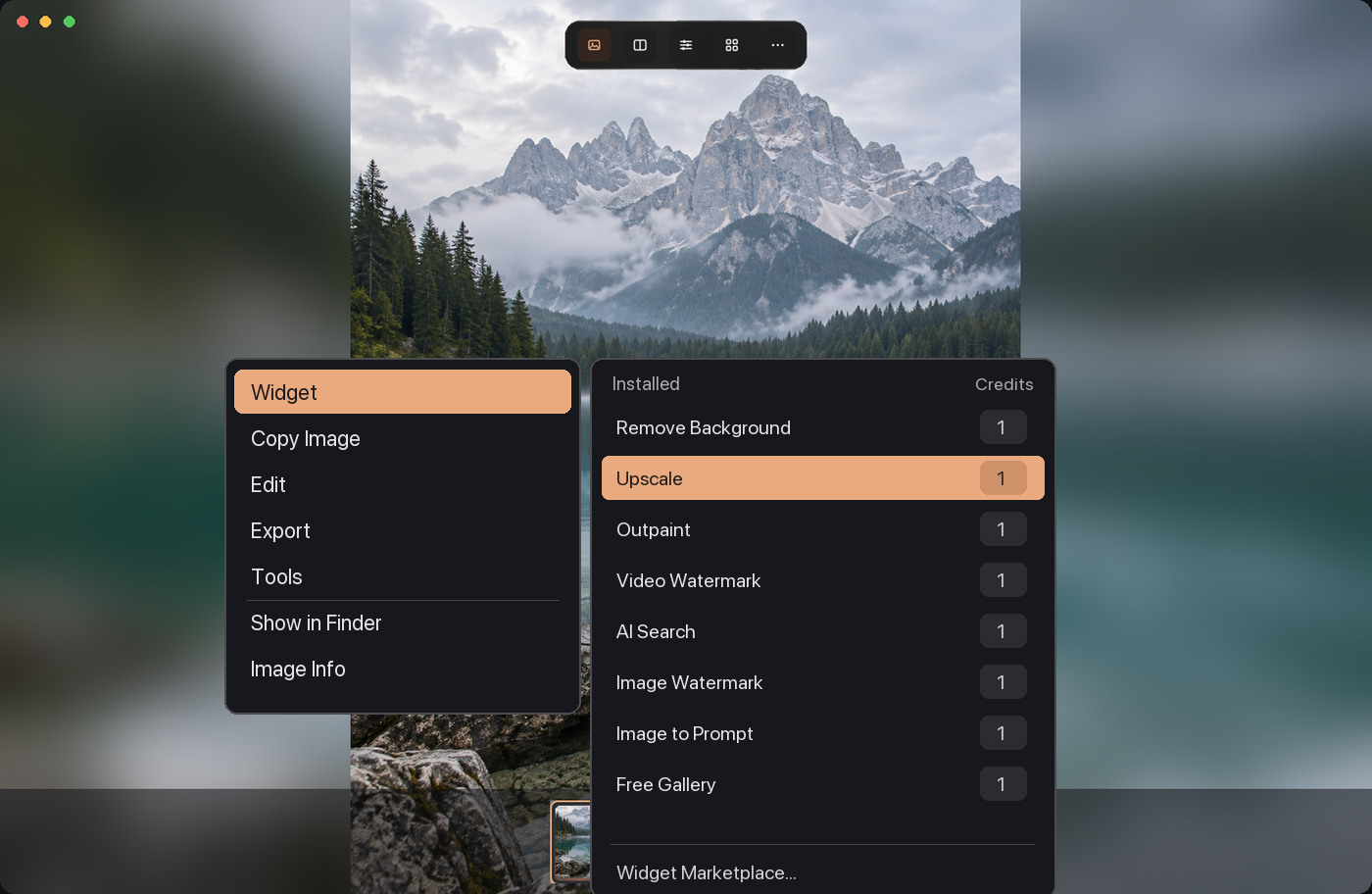
Choose a Widget from the context menu to work on an image or video, with tools for upscaling, outpainting, background removal and more. Cloud Widgets require sign-in and may use credits; the media you submit is uploaded for processing. The menu shows the cost, and results are saved to Downloads/Glance.

  • Tasks run in the background while you keep browsing
  • System failures and queue timeouts refund credits automatically
Widget menu in Glance
03

Compare the original with the result

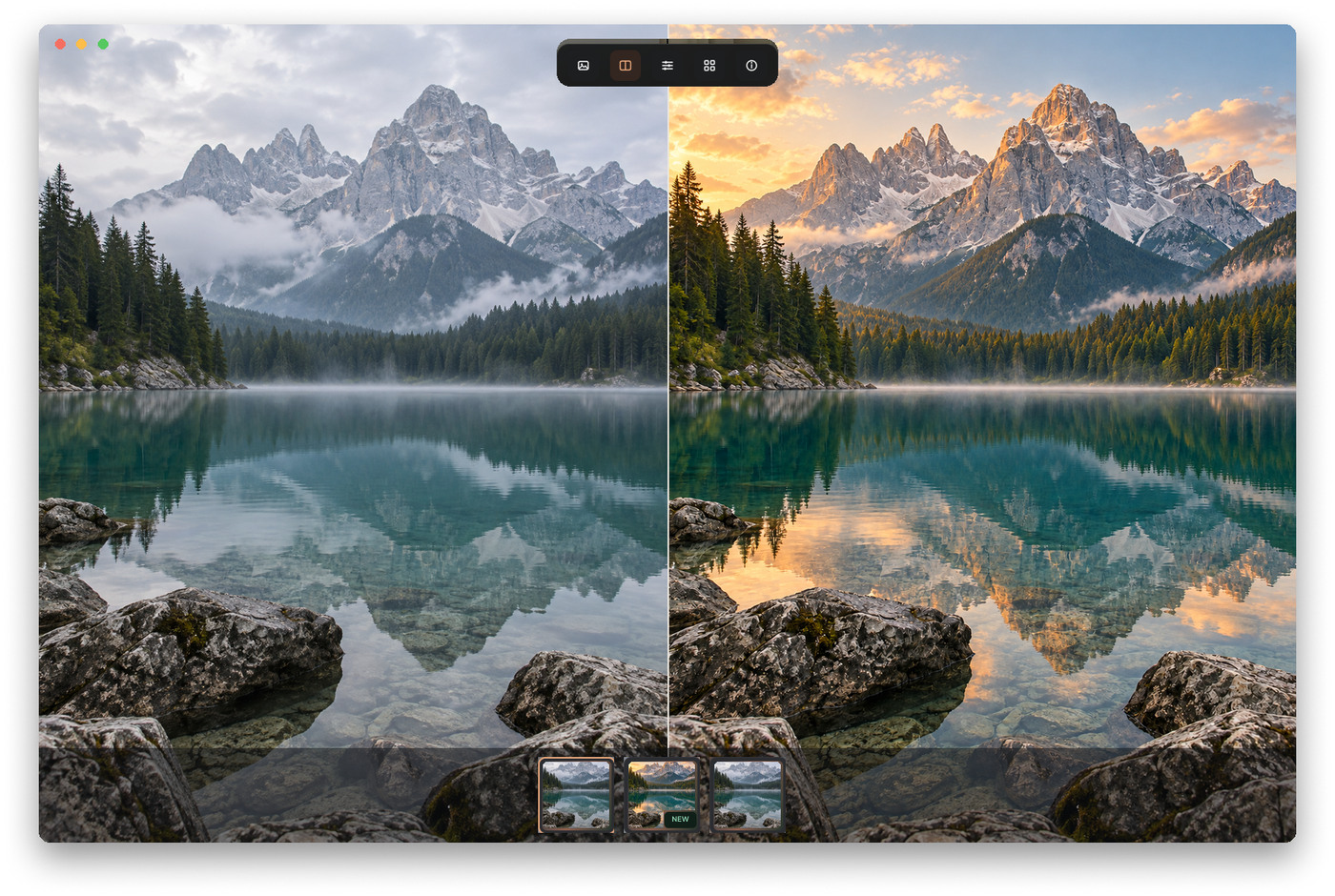
Put the original and the result side by side, or drag a slider between them. See exactly what changed before you use it.

Side-by-side compare in Glance

And more

Free forever

Copy text from an image

Open an image in Image Inspection and Glance recognizes its text on your Mac. Drag to select, press ⌘C to copy, or open Tools → Recognize Text for the full result. No Pro, credits or upload needed.

Free

Video preview & capture

Play video, capture any frame, crop it in the capture editor, then save or copy it.

Credits

Cloud AI Widgets

New accounts get 100 credits. You only pay for cloud runs; local features never use credits.

Pro

Local toolbox

Format conversion, compression, export and image copying, rotate and crop edits, and Base64. Everything runs on your Mac and nothing is uploaded.

One-time purchase, see pricing →

Free · optional

Peek

Select an image link or file path in any app and press Option + Space to preview it. Off by default; turn it on in Preferences when you want it.

Free

Task Center

Track queued, running and finished Widget tasks. Cancel a queued task and get its credits back.

Free

Zero-permission start

A regular app with Dock and menu bar icons. It needs no system permissions and no account on first launch.

AI Widgets

AI tools, one right-click away

Prices are per run and come straight from the Glance service, exactly as shown in the app.

All Widgets and model details

Pricing

Free to view. Pro is one purchase. AI is pay-per-run.

Free

$0, forever

View images and video, compare, capture, and use AI Widgets with credits.

Glance Pro

One-time, no subscription

Unlocks the full local toolbox with lifetime free updates, priced for 1 or 2 Macs, plus 100 bonus credits.

Credits

Top up as needed

Credits never expire and are shared across your Macs. Nothing renews automatically.

Full pricing and comparison

Download

Download the free beta

The beta is not yet notarized by Apple. Allow it once in System Settings → Privacy & Security the first time you open it.

Version
1.0.0-beta.1
Size
5.0 MB
Requires
macOS 12.3 or later, Apple silicon (M-series)
SHA-256
aad58a57f4e157fecc311746d3b69e36a88fec75587a4ad844e036e940622c95

FAQ

Do I need an account?

No. Viewing, compare and capture work without an account. You only sign in, with Google or an email code, the first time you run a cloud AI Widget or make a purchase.

Are my files uploaded?

No. Viewing and local tools run on your Mac. Only when you run a cloud Widget is the media you selected uploaded for processing.

Is Pro a subscription?

No. Pro is a one-time purchase with lifetime free updates. There is nothing to renew and nothing is ever charged automatically.

Am I charged if a task fails?

If a task fails on our side, waits more than 30 minutes in the queue, or is cancelled before processing starts, its credits are refunded in full automatically. Cancelling after processing has started is not refunded.

What still works after the trial?

Viewing, compare, capture, image text recognition and copying, and credit-based AI Widgets stay free. Conversion, compression, export, image copying, editing and Base64 tools need Pro. Your files, results and credits are untouched.

How do I pay?

After you choose a product in the app, Pancake by Waffo's secure checkout opens. CNY orders use WeChat Pay; USD orders accept cards, Apple Pay, Google Pay or WeChat Pay.